A home for every recipe.
Start with the Add recipe form, import a URL, or paste recipe text. Keep ingredients and instructions together in a note you can edit.
YOUR RECIPE LIBRARY
Weeknight favorites.md
Sunday pancakes.md
Mum’s tomato sauce.md
 Recipe Boxfor ObsidianGet Recipe Box
 Your favorite recipes, a plan for the week, and a grocery list that comes together. All inside Obsidian. All in notes you own.
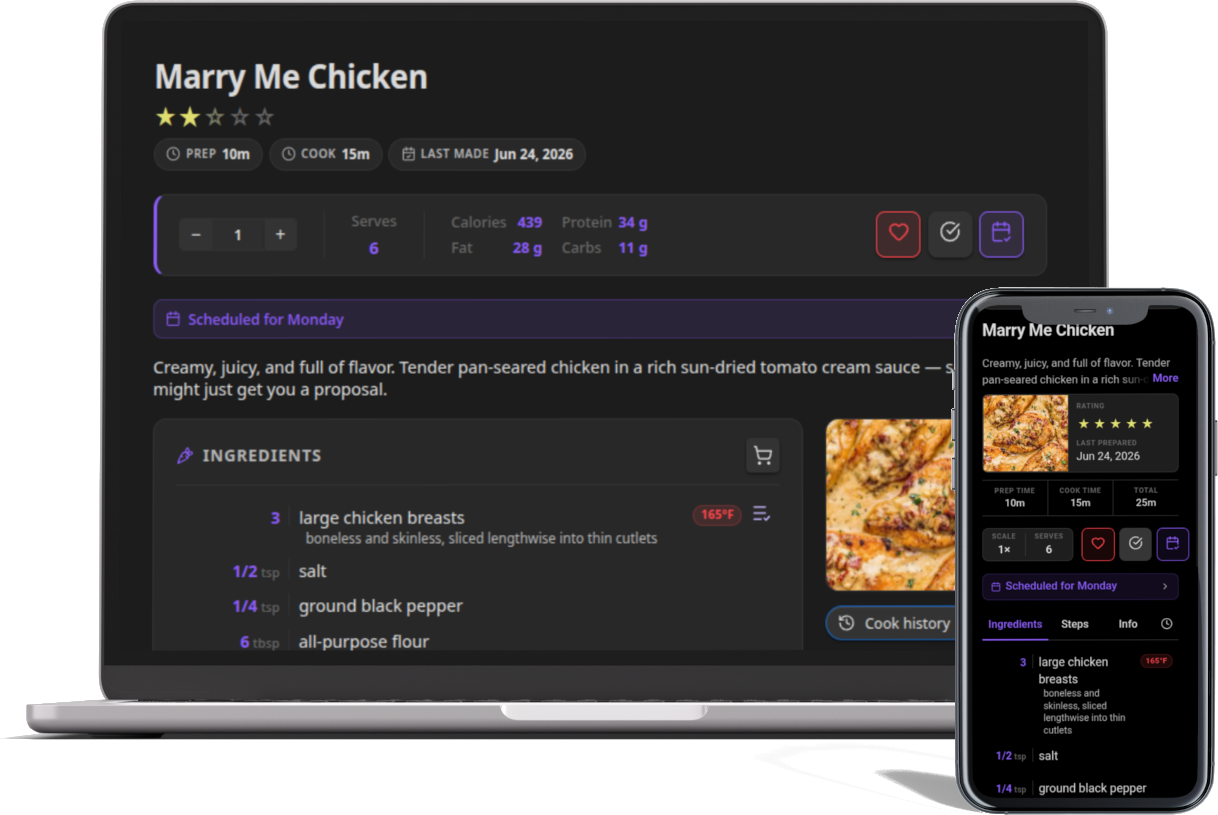
Recipes are notes. And they stay yours.
Recipes, meal plans, and grocery lists are stored as Markdown in your vault.Bring the recipes you love into the way you already organize your life.
Start with the Add recipe form, import a URL, or paste recipe text. Keep ingredients and instructions together in a note you can edit.
Drag recipes into a weekly plan, add custom meals, and keep unscheduled ideas in a queue. Edit the plan directly in Markdown, too.
Bring ingredients from your meal plan into a consolidated grocery list. Merge duplicates, sum quantities, and add the extras you need.
Turn a recipe note into a kitchen companion. Scale ingredients, follow the steps, and keep your place while dinner comes together.
Explore the recipe view200 g pasta 400 g pasta
Illustrative exampleDuration phrases in your instructions become timer buttons. Run multiple timers and hear an alert when they finish.
Swipe between recipe tabs on mobile. Turn on cook mode to keep the screen awake while you cook.
Log when you cooked a recipe, with optional notes and a photo. Your history stays in the note’s frontmatter.
Create suggestion modes with filters and scoring rules. Favor highly rated recipes, old favorites, or something you’ve never made.
Create a read-only recipe link with a 7, 30, or 90 day expiry. Recipients need no account or app, and you can revoke the link.
Use familiar Markdown headings or RecipeMD formatting. Choose which folders hold your recipes, and customize the properties you display.
Your notes work with Dataview and Obsidian Bases. Use the sync solution you already use for your vault.
Read the documentation# Sunday pancakes
## Ingredients
- 150 g flour
- 250 ml milk
- 1 egg
## Instructions
1. Whisk the ingredients together.
2. Cook each pancake until golden.A regular note. Ready for recipe view.
Install Recipe Box from Obsidian’s community plugin directory.
Open in Obsidian View the plugin directory listingIn Obsidian, open Settings → Community plugins → Browse. Search for Recipe Box, install it, and enable it.
Run “Recipe Box: Add recipe” from the command palette. Write your recipe, import a URL, or paste text into the form.
Open a note in the Recipes folder and switch to recipe view. Choose your library folders in Settings → Recipe Box → Recipe library.